OutputInput
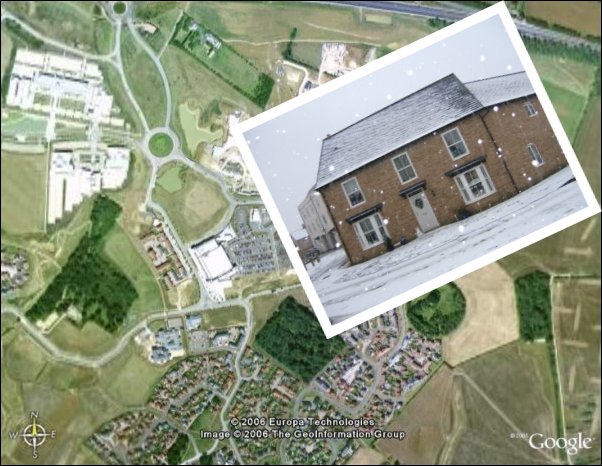
The output image earth.jpg

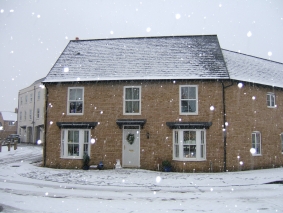
House.jpg

Code

<?php
    exec
("convert earth.jpg -bordercolor black -border 1x1 \\
\( House.jpg -bordercolor white -border 10x10 -background none -rotate \"-25>\" \) \\
-gravity northeast -composite photo4.jpg "
);
?>

CodeResult
<?php
exec
(" convert earth.jpg -bordercolor black -border 1x1
  • earth.jpg First image to read into memory and modifed
  • -bordercolor black Border colour
  • -border 1x1 Border size; the border is added to the outside of the image

Note: a 100px x 100px image with a 10x10 border added will be 120px x 120px.

Black 1px border added

\( House.jpg -bordercolor white -border 10x10 -background none
-rotate \"-25>\" \)
  • \( House.jpg Second image to read into memory and modifed
  • -bordercolor white Border colour
  • -border 10x10 Border size
  • -background none The background colour of the image. This will be the triangular sections around the image when it is rotated. It is set to none which is the same as transparent; a colour can be used.
  • -rotate \"-25>\" \) Rotate the image ( 25 = 25deg clockwise -25 = 25deg anti-clockwise ). The angle needs to be within " " and these will need escaping with a \

Note: This code is within ( ) which ensures any modifications only take place on this image; the ( ) need escaping with \

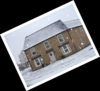
White 10px border added and rotated 25deg
( Image below showing the actual size and background )
earth.jpg

-gravity northeast -composite photo4.jpg ");
  • -gravity northeast The position of the overlaid image on the background. -geometry can be used instead
  • -composite Make a composite of the photos. The first photo in the memory will be the background
  • photo4.jpg "); The name/path to save the final image as
Images combined