Rubblewebs
THESE CODES ARE PROVIDED FOR AN EXAMPLE OF HOW TO USE IMAGEMAGICK WITH PHP. CARE SHOULD BE TAKEN WHEN ACCEPTING USER INPUT.
I TAKE NO RESPONSABILTY FOR ANY PROBLEMS THAT MAY OCCURE WHEN USING ANY OF THIS CODE.
IT IS UP TO YOU TO SECURE THE CODE AND VALIDATE USER INPUT.
Some psd observations
psd files cause problems; mainly due to the layers. The examples below are from a psd file with a transparent background layer, an image of some boots with the area around the boots erased to background ( transparent ) and a text layer.
I have added the border on display so the transparent areas show up.
NOTE: When you look at the first example you will see the code created 4 images the finished image and all the layers; so for example this psd file has:
layer[0] = The complete image
layer[1] = The background layer
layer[2] = The image layer
layer[3] = The text layer
So to convert the complete image and ignore the layers you would use:
exec("convert boots.psd[0] -thumbnail 340x340 boots_png.png");
This is only for images that have not been "merged" as they will only have the one layer.
Converting to a png gives 4 different images named boots_png-0.png etc.
exec("convert boots.psd -thumbnail 340x340 boots_png.png");




Converting to a gif gives this "flashing" image.
exec("convert boots.psd -thumbnail 340x340 boots_gif.gif");

Converting to a jpg gives 4 different images named boots_jpg-0.jpg etc.
exec("convert boots.psd -thumbnail 340x340 boots_jpg.jpg");


Note: The background/transparency comes out black as jpg does not support transparency
Using an the same image but merging the layers down first
Converting to a png gives 2 images named boots_png-0.png etc.
exec("convert boots_merged.psd -thumbnail 340x340 boots_merged_png.png");


Converting to a gif used to give the "flashing" image - may have been a browser bug?.
exec("convert boots_merged.psd -thumbnail 340x340 boots_merged_gif.gif");
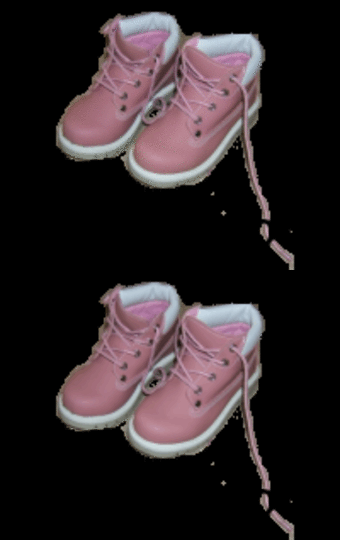
Converting to a jpg gives 2 images named boots_jpg-0.jpg etc.
exec("convert boots_merged.psd -thumbnail 340x340 boots_merged_jpg.jpg");
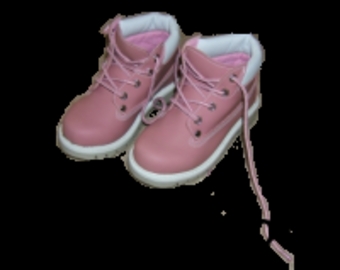

Just working on the one layer of the unmerged image
exec("convert 'boots.psd[2]' boots_layer_2.png");

Merge all the psd layers into one and save as a jpg image
exec("convert boots.psd -flatten flat_boots.jpg");

One method of converting a psd image into a png with transparency.
There are some assumptions being mage with this code - you know which layers you want to work on; which order they are in and where there are supposed to be on the image !
But it will work with this code:
Note: this has used ImageMagick to resize or whatever other comands have been done
$size = getimagesize("boots_png-2.png");

$cmd = " -size '$size[0]'x'$size[1]' xc:none ".
" boots_png-2.png -gravity center -composite boots_png-3.png ".
" -gravity south -composite ";
exec("convert $cmd composite_boots.png");
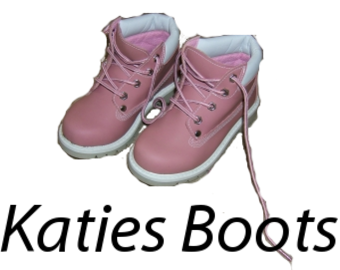
Note: this is working directly with the psd layers
$size = getimagesize("boots.psd");
$cmd = " -size '$size[0]'x'$size[1]' xc:none ".
" 'boots.psd[2]' -gravity center -composite 'boots.psd[3]' ".
" -gravity south -composite ";
exec("convert $cmd composite_boots_psd.png");
Create a layered psd file
A couple of notes first:
- The first layer in a psd file is all the layers merged and you would need to create that first.
- For some reason the first layer using the code below drops the first layer e.g image1.png so create a blank layer to use as the first layer.
- The layers in my test were renamed to L000001 etc.
exec("convert image1.png image2.png image3.png");